


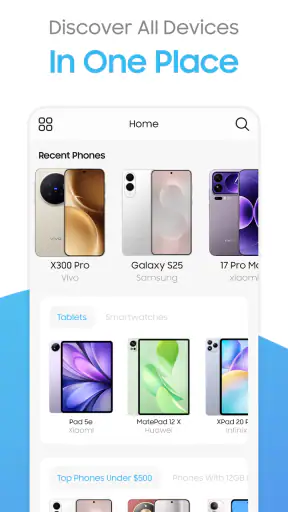
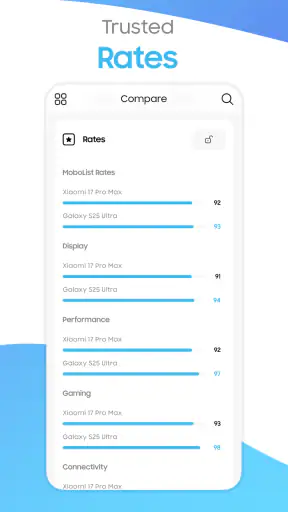
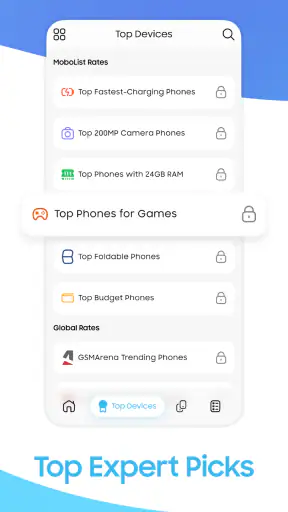
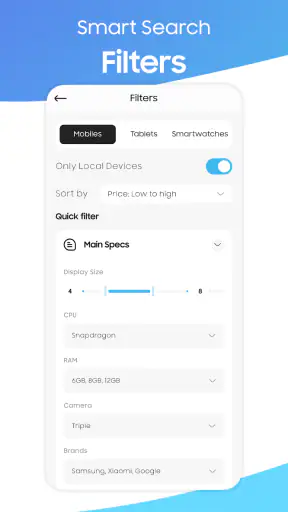
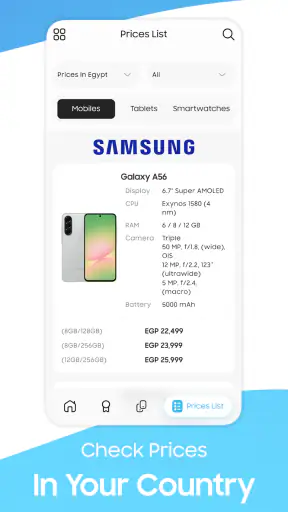
When I am considering a new phone, I usually want answers faster than a manufacturer’s product page gives them. I want to see the important specifications together, check whether the price makes sense, and compare one device with another without opening a dozen browser tabs. Mobolist: Phone Prices & Specs is built around that practical shopping problem. It is a free News & Magazines app from Mobolist that focuses on phones, tablets, and smartwatches rather than general headlines.
After spending time with it, I see it as a reference tool for people who regularly follow mobile hardware. It is not trying to replace a full technology news publication, and it is not a complete buying service that makes the decision for you. Its value comes from reducing the effort involved in researching devices. The experience is most useful when I already know what I am looking for—perhaps a mid-range phone, a particular tablet size, or a smartwatch to compare with one I already own.
What Mobolist is really useful for
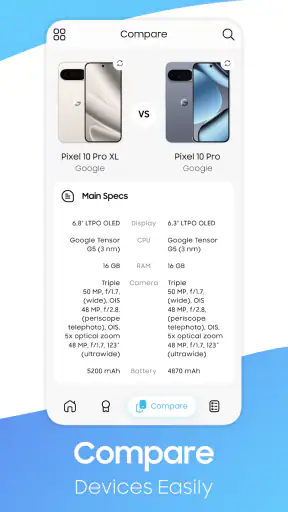
The central idea is simple: keep device prices and specifications in one place and make comparisons easier. That sounds modest, but it addresses a real annoyance. Phone specifications are often spread across marketing pages, retailer listings, and technical databases. Even when all the information is available, comparing two products can become a memory exercise. Mobolist gives that research a more focused home.
I find the app most helpful during the early and middle stages of a purchase. At the early stage, I can browse categories and get a sense of which devices deserve attention. Later, I can use the specifications to narrow the shortlist. That is different from the final buying step, where I would still want to check the current offer from a retailer or network provider before spending money.
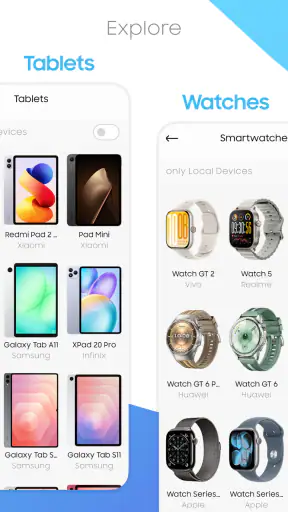
The app covers more than smartphones. Tablets and smartwatches are part of the same research flow, which is useful because people often compare several types of device during one shopping trip. Someone choosing a phone may also be considering a tablet for travel or a watch that works with the same ecosystem. Having those products together makes the app feel more like a mobile-device reference guide than a single-product catalog.
Mobolist has been available since December 13, 2019, and the current version is 3.1.3. That history matters in a small but practical way: this is not an app that appeared only to follow one short-lived product cycle. It has had time to establish its purpose as a device information tool. It requires Android 8.0 or later, so owners of older Android hardware should check compatibility before planning around it.
How I would use it before buying a phone
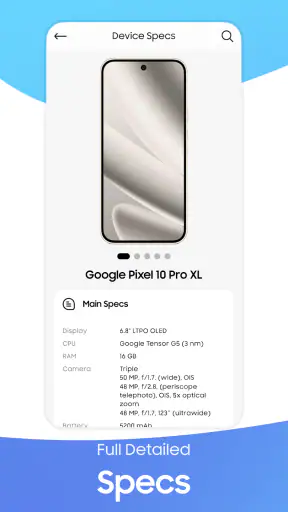
My preferred workflow is to begin with a shortlist rather than browse aimlessly. I would first identify two or three phones that fit my budget and priorities, then use Mobolist to compare the specifications that actually affect daily use. For example, I would look at display details, battery information, camera hardware, storage, and connectivity instead of treating every specification as equally important.
The useful habit is to separate “important to me” from “interesting to read.” A long specification page can make a device appear impressive simply because it contains many technical terms. I would decide in advance whether my priority is battery endurance, camera flexibility, screen quality, storage, or a particular connection standard. Then I would compare only those areas. This makes the app quicker to use and helps prevent a familiar shopping mistake: choosing the phone with the most dramatic specification rather than the one that fits the actual routine.
A realistic example would be someone replacing an aging phone before a trip. They may want a reliable camera, enough storage for photos, and a battery that can survive a long day away from a charger. Mobolist can help create a shortlist and expose differences between models. I would still confirm the final price and availability elsewhere, but I would not need to keep switching between separate specification pages while deciding which devices deserve that final check.
Cost, free access, and the meaning of paid value
The app itself is free to download, which makes the first step easy. A reader can try its device research approach without committing money simply to discover whether the layout suits them. That is a meaningful advantage for an app whose usefulness depends on personal shopping habits. If I only compare a phone every few years, I would be reluctant to pay before seeing whether the information is presented in a way I can understand.
There are in-app purchases ranging from $1.99 to $14.99 per item. I would treat those purchases as optional paid value rather than part of the basic cost of trying the app. The free entry point is therefore clear, while the total amount a frequent user might spend depends on which paid items they choose. Since those purchases are not necessary to describe the app’s download price, I would not call Mobolist an entirely cost-free experience for every user.
This distinction is important when comparing it with ordinary web searches. Search engines are also free at the point of use, but they often lead to pages with different layouts, incomplete specifications, retailer promotions, or outdated-looking information. Mobolist’s potential value is convenience and consistency. Paying for an optional item could make sense for someone who uses the app repeatedly and finds that extra value worthwhile; it makes less sense for a one-time buyer who can complete a shortlist with the free experience.
I would also avoid assuming that a paid option automatically makes the information more accurate or more current. Price-sensitive decisions need a final check because prices change, stock changes, and regional offers differ. The app is best used as a research layer, not as my only proof of what I will pay at checkout. That is one of the most important cost-related tradeoffs: free access lowers the risk of trying it, but it does not remove the need for sensible purchase verification.
Where the app delivers genuine value
The strongest value is concentration. Instead of treating each product page as a separate research project, I can keep my attention on the comparison itself. That is especially helpful when the differences between devices are subtle. Two phones may look similar in a shop, yet differ in storage, camera configuration, display characteristics, or connectivity. A dedicated specification app helps bring those distinctions into the same decision.
Another useful point is cross-category browsing. A general news application may mention a phone in an article, but it is not necessarily designed for comparing that phone with a tablet or smartwatch. Mobolist’s focus on mobile devices gives the research a narrower purpose. I would open it when I want device facts, not when I want a broad mixture of unrelated stories.
The app can also help me avoid relying on memory. When I compare products in a browser, I often remember one attractive detail from each page and forget the less glamorous limitation. A structured comparison encourages a more balanced look. My practical tip is to write down the three specifications that would make me reject a device before I start browsing. That way, the app supports a decision instead of turning into endless technical reading.
Its public reception suggests that this focused approach appeals to a substantial Android audience: it has more than a million installs, an average rating of 4.5, and roughly seventeen thousand ratings. Those figures do not guarantee that every person will enjoy the interface or find every product detail equally useful, but they do indicate that the concept has reached beyond a tiny specialist group. I read that as evidence of practical appeal rather than proof that it should replace every other research source.
The tradeoffs I noticed while judging it
The first tradeoff is breadth versus depth. A device reference app can show many products and specifications, but that does not automatically give the context found in a long hands-on review. Specifications can tell me what a phone includes; they cannot, by themselves, tell me how comfortable it feels, how consistent the camera is in difficult light, or whether the software experience will suit me. For those questions, I would use independent reviews and real-world testing alongside Mobolist.
The second tradeoff is convenience versus final-price certainty. The app is useful for organizing research, but a listed price should not be treated as a permanent promise. Regional pricing, discounts, storage variants, taxes, and retailer conditions can all affect the amount I actually pay. My best workflow is to use Mobolist to identify the right model and variant, then verify the final purchase details immediately before ordering.
There is also a risk of specification overload. A reader who is not comfortable with mobile hardware may see a dense set of terms and still be unsure which device is better. I would not recommend opening the app without a question in mind. Start with a need—better battery life, more storage, a larger screen, or a watch that fits a particular routine—and use the specifications to investigate that need. The app becomes much less intimidating when it is used to answer a specific question.
The paid model is another consideration. Free access makes experimenting straightforward, but in-app purchases mean that some users may eventually face a decision about whether additional value is worth paying for. I would be cautious if I only need a single comparison. A regular gadget enthusiast, on the other hand, may see a reasonable benefit in paying for features or content they use often. The right choice depends on frequency, not on the app’s category alone.
Finally, this is an Android app with a minimum requirement of Android 8.0. That is not a problem for many users, but it does exclude older devices. The age rating is Everyone, so the app is positioned as suitable for a broad audience rather than a mature-content product. Parents or younger users can view it as a neutral hardware reference, although the more important question for them will be whether the information is understandable and relevant to their needs.
Who will get the most from it
I would recommend Mobolist to people who compare phones regularly, follow new devices, or help family members choose hardware. It is particularly useful for a shopper who dislikes jumping between manufacturer pages and retailer listings. It also suits someone who prefers a specification-first decision and wants a quick way to organize a shortlist before reading deeper reviews.
It may be valuable for students, travelers, and remote workers who need to compare more than one kind of device. A person choosing a phone and tablet together can keep the research in one focused app. Someone replacing a watch may also appreciate being able to look at smartphones and wearables in the same general environment rather than treating each purchase as unrelated.
I would be more selective about recommending it to a casual buyer who already knows the exact model they want. If the decision is already made, a direct retailer or manufacturer page may be faster for checking availability and completing the purchase. Likewise, readers who care most about camera samples, long-term software support, repairability, ergonomics, or detailed performance testing should not rely on a specification app alone.
There is a useful middle ground for people who are not technical. I would suggest using Mobolist with a simple checklist. Choose the maximum price you are comfortable with, decide which two features matter most, and ignore the rest until a device survives that first filter. This approach turns the app from a wall of technical information into a practical comparison tool. It also reduces the chance of paying extra for specifications that will never affect your daily use.
How it compares with the usual alternatives
The most obvious alternative is a web search. The web offers greater variety and can lead to current retailer prices, professional reviews, user discussions, and official support pages. Its weakness is fragmentation. I may find excellent information, but I have to judge the reliability of each page and remember what I saw on the previous one. Mobolist is more focused, so it can be the quicker starting point when the goal is device comparison rather than broad research.
Manufacturer pages are stronger for official product positioning, supported configurations, and purchase links. They are weaker for neutral side-by-side thinking because each brand naturally presents its own products in isolation. I would use Mobolist to compare across brands, then visit the manufacturer when I need confirmation about a specific configuration or support detail.
Retailer apps are better at the final transaction. They show stock, delivery, local offers, and checkout information, while Mobolist’s role is more about understanding the devices. The two types of app complement each other rather than compete directly. I would not expect a retailer to provide the same neutral research flow, and I would not expect a reference app to replace the retailer’s purchase process.
General technology news apps offer context that Mobolist is not designed to provide. They can explain why a launch matters, discuss industry changes, or publish long-form opinions. Mobolist is more efficient when I have a concrete product question. If I want to understand the wider story around a device, I would read elsewhere; if I want to compare its technical profile with another device, this app is the more direct tool.
My practical verdict on downloading and paying
For me, the free download makes Mobolist easy to recommend as a trial, especially to anyone currently researching a phone, tablet, or smartwatch. The app’s focus is clear, the age rating is Everyone, and its Android requirement is reasonable for users on supported devices. Mobolist has also been developed by Mobolist itself, which keeps the product identity straightforward rather than hiding the source behind an unrelated publisher name.
I would download it when I have several devices to compare, not merely because I want another technology app on my phone. I would begin with a short list, use the specification comparisons to identify the best fit, and then confirm the exact price and availability through the final seller. That workflow gives the app a useful job without asking it to answer questions that only hands-on testing or a retailer can answer.
Whether to spend on an in-app purchase is a separate decision. Since the app is free to try and individual purchases range from $1.99 to $14.99, I would first establish that I use it often enough to justify paid extras. A one-time shopper should probably stay with the free experience unless a paid item solves a specific problem. A frequent device researcher may find the upgrade worthwhile, but I would judge it by repeated usefulness rather than by the presence of extra content alone.
My bottom line is simple: Mobolist is a sensible research companion, not a complete buying authority. I would choose it over scattered searches when I need a focused way to compare mobile hardware. I would skip it if I only want breaking news, detailed camera testing, or a guaranteed final purchase price. Used with those boundaries in mind, it offers a practical free starting point and can save real time during the most confusing part of device shopping.
For a person asking me whether to try it, my answer would be yes—particularly if a purchase is coming soon. Install it, build a shortlist, compare only the specifications that match your routine, and treat the final price as something to verify at checkout. That is where Mobolist: Phone Prices & Specs earns its place: not by making the decision for me, but by making the decision easier to structure.


